

Space limitations and heating is a thing of the past.
What’s in the box:
- Manual
- Tie wraps Box holding screws, cable ties, etc.
- Warranty booklet
- Mid-tower gaming case

Features:
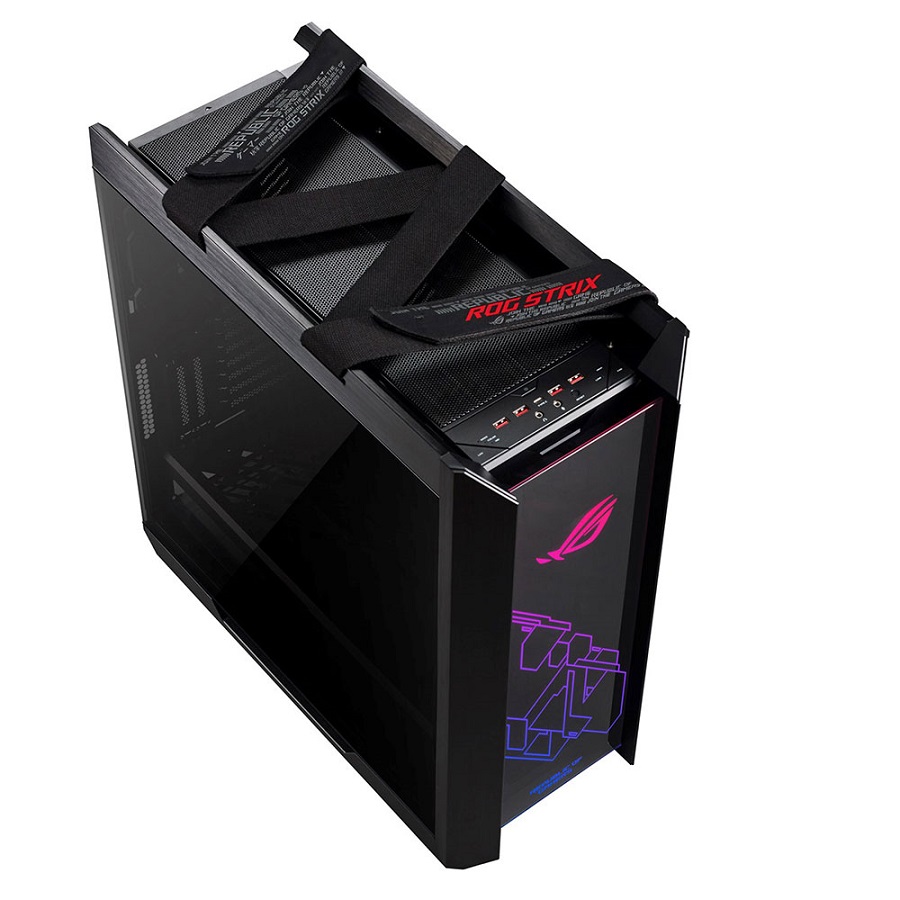
- Premium design & aesthetics: Made for showcase builds with three tempered-glass panels, brushed aluminium frame, and integrated Aura Sync RGB front lighting
- Clean build made easy: A multifunction cover with graphics card holders, a PSU shroud, and a translucent rear cable cover offer effortless cable management
- Versatile GPU mounting: Install three graphics cards in standard orientation, or two vertically for extra showcase flair using a bundled bracket
- Ready for serious cooling: Supports an up to EATX motherboard, with room for 420mm front radiators and water-cooling pump and reservoir
- Advanced I/O panel: USB 3.1 Gen 2 Type-C™ port, four USB 3.0 ports, an RGB-lighting control button, and a fan-speed control button
- The comfortable case handles: Easily carry your prized build to LAN parties with ergonomic and stylish fabric handles
Specifications:
- Mid Tower
- Motherboard Support: EATX (12″x10.9″), ATX, Micro-ATX, Mini-ITX
- Front I/O Port: 1 x Headphone, 1 x Microphone, 4 x USB 3.1 Gen1, 1 x USB 3.1 Gen2 Type C, LED Control Button, Fan Control Button, Reset Button
- Tempered Glass: Front Side, Left Side, Right Side
- Radiator Support (Front): 120mm, 140mm, 240mm, 280mm, 360mm, 420mm
- Radiator Support (Top): 120mm, 140mm, 240mm, 280mm, 360mm
- Radiator Support (Rear): 120mm, 140mm
- Cooling Support (Front): 3 x 120 mm, 3 x 140 mm, Radiator + Fan Thickness: Max. 90 mm
- Cooling Support (Rear): 1 x 120 mm, 1 x 140 mm
- Pre-installed Fans (Front): 3 x 140 mm
- Pre-installed Fans (Rear): 1 x 140 mm
- CMaximum CPU Cooler Height: 190 mm
- Maximum GPU Length: 450 mm (Riser Cable above 200mm in length is required for one GPU install in vertical position)
- Maximum PSU Length: 220 mm
- Removable Dust Filters: Front, Top, Bottom
- Weight With Cable: 91g
- Maximum Cable Management Space: 33 mm
- Dimensions: 250 x 565 x 591 mm
- Weight: 18Kg
- AURA Sync: ARGB

Aesthetics:
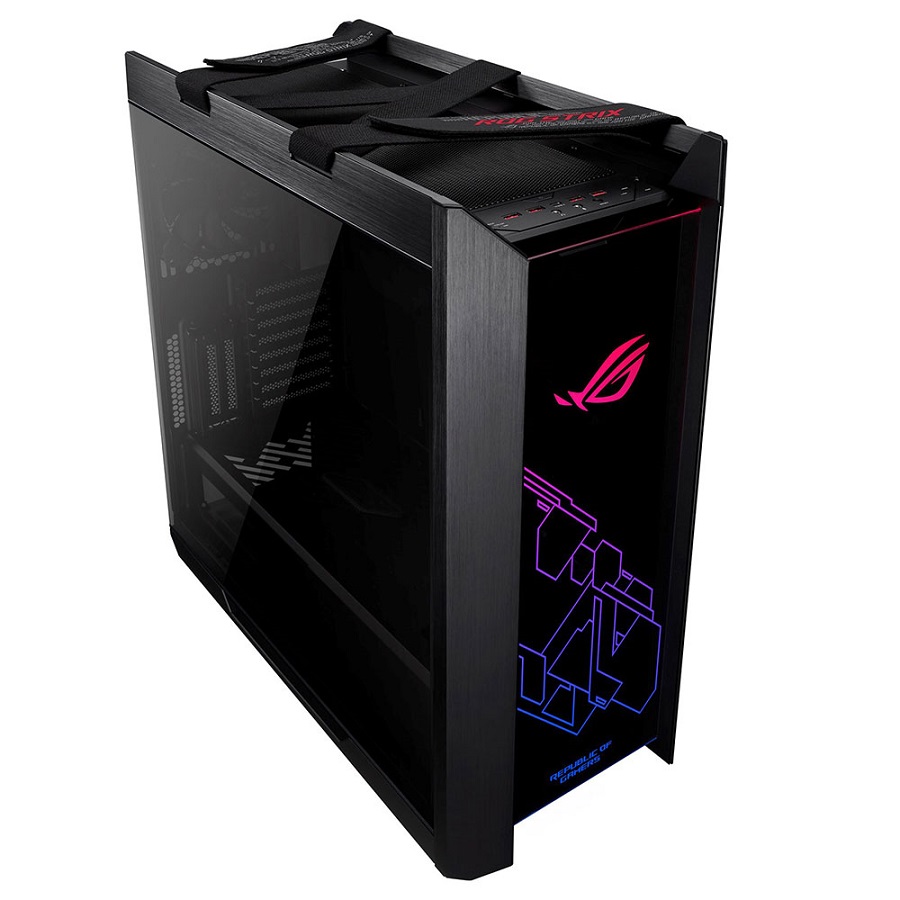
She’s a beauty, there is no denying that. The entirety of the case is absolutely gorgeous to look at.
On the front, we have the ROG logo that lights up, and joining it is another light-up pattern. Both of these are full RGB and can be customized using the Armory Crate software.
This case was made for cable management, offering numerous tie-downs and effective methods of making your cable management look neat.
On the right side, there is an additional panel that you screw in that holds your cables, further adding to the cable management that the Helios has to offer.
One bummer for me was that the fans in the Helios wasn’t RGB, just plain fans, however, that is not a train smash at all.
Durability:
The glass panels are all smoked tempered glass and the chassis itself is Aluminium.
She was built sturdy and very durable.
Normally dust filters and covers are these flimsy little things that bent easily. I was thoroughly impressed to see that all three of the Helios dust filters were reinforced, making bending not possible. The addition reinforcement was done in such a way that it does not hinder the cleaning process.

User Friendly & Functionality:
At first glance, the Helios might seem complicated to use, however that’s because of the numerous additional features it offers. Not only can you fit up to two vertically mounted GPUs, but it also supports up to three horizontally mounted GPUs. All thanks to the seven expansion slots that it has to offer.
This makes life so much easier and really gives you the freedom to be unique and totally customize your build. The Helios also supports up to nine storage drives so you physically and virtually have all the space you could need. All of the rear expansion slots are reusable, and that is a win, the days of tearing them off and chucking them is a thing of the past.
Cleaning was so made easier with three easy-to-remove dust filters. Removing and putting these back is simple. Simply pull them out, clean them and slide them back in. Another impressive feature that the Helios offer is the movable parts.

The cover for example that hides the HDD bay and PSU. This one is divided into two sections. Front and back. Both of which can be loosened by unscrewing them and then removing them. This makes installing the PSU so much easier, especially when you want to add additional cables to your PSU or neaten the cables coming in and going out of the bay where it is placed.
The Helios comes with four 140mm per installed fans and seven additional addi2fsn mounting points. It also comes included with a fan hub that directly syncs with the motherboard and software. This is by far one of the best features for me. As someone who has terrible heating issues due to my location. The heating has gotten to a stage where it directly interferes with my recordings.

I’ve tried other options and just couldn’t manage a fix without having my components run at altered settings. Such as lower CPU voltage or getting my fans and CPU cooler to run at constant high speeds, which does reduce their lifespan.
So this entire upgrade was based on getting my heating solved so I went with the Helios, a new Strix Motherboard, and then a Strix LC 360 AIO cooler. The end result was an absolutely stunning improvement.
The hardware works together to combat any issues I have. The moment my temperatures start rising my software would start upping the fan speeds as needed and as the temperatures die down again, lower the speeds.
This is what I needed and the Helios delivered. Sure other brands offer the same outcome, however, the Helios tower that syncs up with Armoury Crate was the winning factor here that I was aiming for.
The tower is heavy before installation, that’s a fact and one thing that has gotten more difficult over the years is carrying them. The Helios has a stylish fabric handle that can be used to carry it. The straps can be removed and attached back. These are laced down with velcro and have been tested for weights up to 50kg.

MGR Gaming’s Conclusions:
I was more than impressed by what the Helios had to offer, especially given its price tag and release date. However, it is a work of art and I’m beyond impressed. It has so many QOL improvements that other towers don’t always have. Reinforced dust covers were a massive step up for me. The fact that it comes custom water cooler ready is perhaps a tad dated since numerous towers have this nowadays.
However several of those numerous towers does not support the wide range of sizing for cooling. The Helios can support up to 420mm in length and 90mm thick in the front and up to 360mm on the top. Now that’s impressive in itself.

Additional space is also available for water cooling pumps and reservoirs. The numerous cable management extras made this one a dream to work with. The translucent panel to tuck all your cables away neatly was another win for me. The movable panels make building in this tower effortlessly easy.
Taking the side panels off no longer requires you to screw them loose. Both of them can be detached by pressing a button at the back of the lower that functions as a release mechanism for the panels. The I/O panel was another treat for me. It can support up to four USB 3.0 ports. Divided into two separate USB connectors. Most motherboards do not support to connectors, unfortunately, however, this is still an impressive feat.
The reversible USB 3.1 Gen 2 Type-C™ port is another win and last but not least. You can customize the fan speeds and lighting on the tower’s I/O panel making this not an exclusive ROG component. For those that do run with a complete Strix build the I/O panel features Aura Sync and that makes life easier. In every sense, the Helios is more than worth its price tag. You get exactly what you pay for and so much more.

If you are keen on owning this Gaming case, follow this Link.
